 Keet Support
Keet Username
* How to set a username
Why do I need a username in Keet?
In Keet, there are two different names you can set up:
- display name - the primary name shown to other users in the rooms, used for mentions, etc and is mandatory.
- username - allows other Keet users to find and start a chat with you, and is optional.
You can set a username during the initial setup or add it later in your profile. If you prefer to remain undiscoverable by username, simply skip this step. You may use only a display name — visible in rooms and chats — which can be changed at any time.
How to set a unique username?
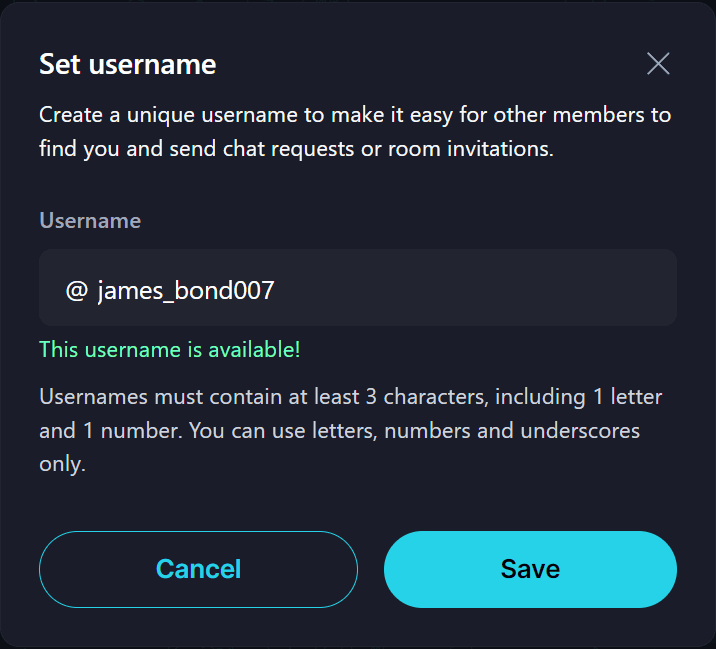
You can set a username from any device. To do so, open Profile and click 'Set username' right under your display name. The following pop-up will appear:
What are the current rules for registering a username?
To register a username on Keet:
- It must be more than 3 and less than 32 characters.
- Only lowercase ASCII letters1 (a–z), numbers (0–9), and underscores (_) are allowed.
- It must contain at least one digit.
- It must be unique within the system.
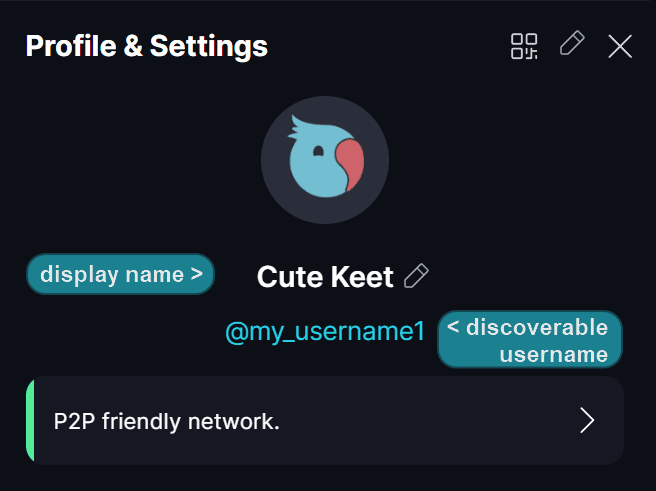
Once you set a username, it cannot be removed, but you can change it up to 5 times.
What can I do with my username?
- Create a unique name.
- Display your username in the app.
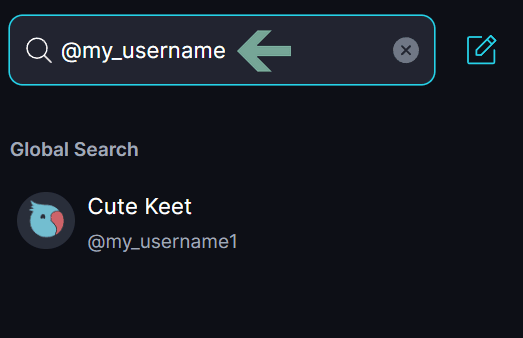
- Be discoverable so other users can search for you to start a conversation.
Can I change my username?
You can change a username in the app. At the moment, users have 5 attempts to set the username (1 initial + 4 changes).
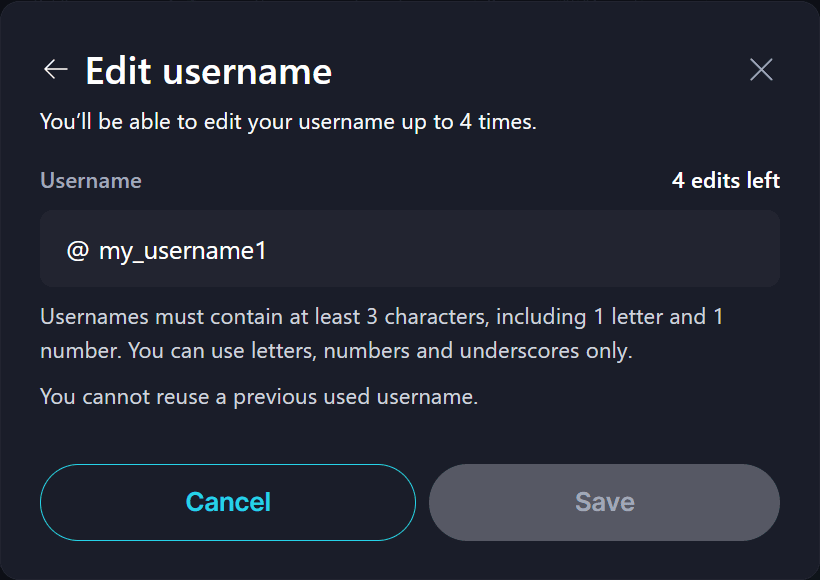
Please note that after changing the username, neither you nor other peers can reuse the old username again‼️
Where are the usernames stored?
Keet introduced its Username Registry, a system that allows users to register unique usernames on Keet. It is available on both desktop and mobile versions of the app.
The registry is fully peer-to-peer (P2P), meaning distribution happens entirely without centralized servers. However, it includes a gatekeeper system for write access, allowing Keet to moderate and control new username registrations to prevent abuse.
In Keet, your identity is tied to a unique seed phrase that cannot be changed. There is no mechanism for sharing or giving away usernames.
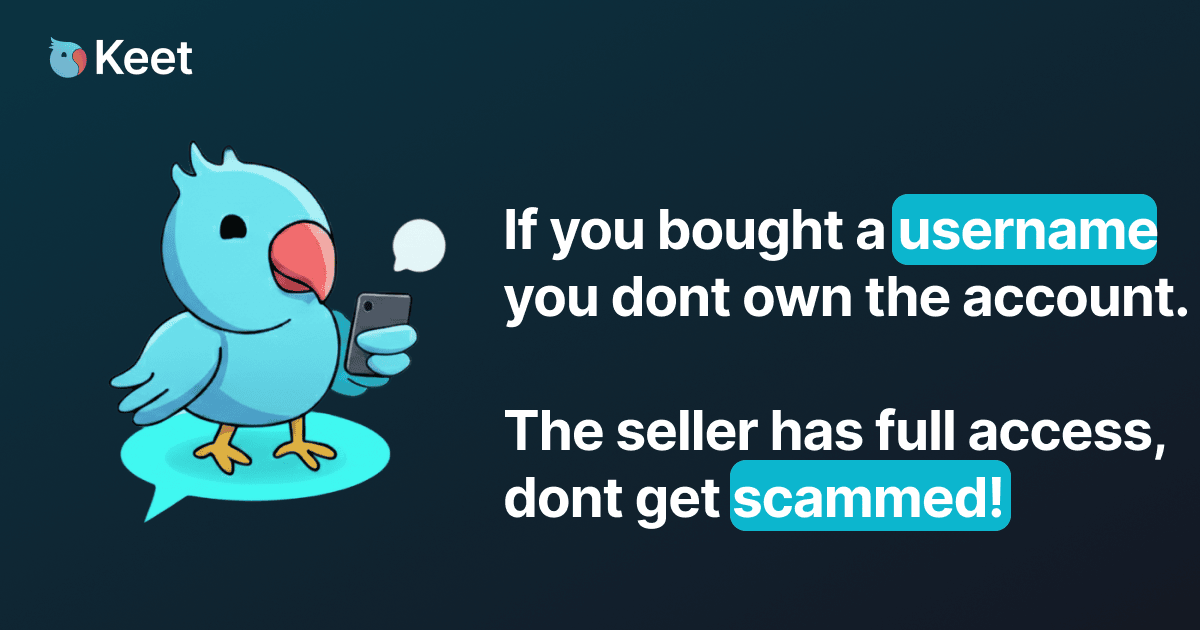
Sharing a username would mean giving someone your seed phrase, which grants full access to your profile⚠️
Footnotes
-
the basic English (Latin) alphabet characters ↩